64-bit vs. i386 and Ubuntu vs. Kubuntu CDs

EDIT: Søren points out that the server CDs are in fact 64 bit. However I think the point made below is still valid for the desktop CDs.

There were a few comments to my latest blog post about the lack of 64-bit CDs in the LoCo CD box, and the reduced number of Kubuntu CDs compared to the number of Ubuntu CDs.

I don’t agree with this critique. As I see it, the CDs are for handing out and passing on to people who are completely new to the Linux / (K)Ubuntu game. These people don’t necessarily know what hardware is in their computer and a question like “Do you have at 64 bit processor?” won’t make sense to them. Worst case scenario the question will make the user feel stupid (not a good starting point for a great user experience with the new software) or the user will answer incorrectly, and will end up with a CD that doesn’t work with their hardware.
Sure, support for huge amounts of ram is nice, but I still think it is rare that the average user has and needs this (yet). And the user who does need it will be aware of the difficulties, and know to either ask the person who hands out the CD or do the research of how to get 64 bit support.

As to the number of Kubuntu vs. Ubuntu CDs I know this is a issue that a lot of people feel very strongly about. But the fact is that the average user who has never used anything else than Microsoft Windows doesn’t know the difference between Gnome and KDE (or the difference between Thunderbird and Evolution or the difference between Emacs and Vi…). The big strength of FOSS is the choices. But that is also one of the weaknesses. When you come along as a new user you are in no way qualified to make the choice between several different software packages, if you have no idea what the differences is. So you need someone else to make that choice for you. And if you find out you prefer another program than the one installed by default, the solution is often not further away than Synaptic or a link on the web: install kubuntu-desktop
(This link installs kde on a Ubuntu system. If I remember correctly it needs to fetch 100MB or more and will make KDE your default desktop environment. If you don’t know what that means, you don’t need to do it.)

That is why I think it is fine that Canonical has chosen to ship more plain Ubuntu CDs than Kubuntu and no 64-bit CDs at all. It limits the number of choices that the use can’t be expected to make anyway. And if you are well informed enough to make the choice you should also be expected to know what to do to get the system you want.

One CD, two CD, three CD…

The CDs for the Danish Ubuntu LoCo team arrived today. Less than one week after release. That’s quite fast if you ask me!

3-small

The CD box contains 250 regular Ubuntu 9.04 CDs, 75 Kubuntu CDs and 75 server CDs. All i386, there are no 64-bit CDs this time. If you have 64 bit hardware and want a 64 bit OS, hopefully you know how to download that your self.

EDIT: Søren points out that the server CDs are in fact 64 bit.

Ubuntu Live! in Aalborg

The Danish LoCo team and NJLUG threw quite a Ubuntu 9.04 release party yesterday, with talks, pizza, socializing and beer.

Our group photo, including a big cardboard Tux, is here:
ubuntu-dk_9_04-rp
(Photo by Martin Jensen.)

For a who is who see the Flickr or Facebook versions with tags.

Photo already sent along to Jono – remember to send your group photo from your release party too, as requested.

It was great fun seeing both familiar and new faces, with six months passed since last Ubuntu Live!. However I must admit I’m glad there isn’t a 6 hour train ride for me to get home after each release party. Next time will properly be in Odense or Århus, which is a bit closer than Aalborg.

Project Euler

For a long time I have wanted to improve my programming skills. Well, skills might be a overstatement. I have had two short introductory programming courses during my many years at uni, one C++ and one Java. But after the course is over I stop programming, since there are no more hand-ins, and as a result I quickly forget even the basics.

So now my hope is that if I spend one or two hours a week working with some problems (with a math twist to keep my focus) I will pick up the basics and get more familiar with Java (the programming language that I have chosen to start out with).

So I have started working the problems at Project Euler. I haven’t spend that much time working the problems yet, but I have solved the first two (using very brute force and non-elegant code), but it seems I have to do a bit of thinking for the third problem. Somehow working through all the integers from one to 600,851,475,143, check if they are a factor of 600,851,475,143 and then check if that factor is a prime is not the most optimal way to find the largest prime factor of 600,851,475,143. Back to the drawing board…

Of course I could ‘cheat’ and just do

$ factor 600851475143

in a shell, but that way I won’t learn much…

leonhard_euler

I first heard about Project Euler at the xkcd blag, but haven’t had the time to look into it before now.

If you know of other interesting problems useful for brushing up on a programming language, feel free to leave a comment.

And before I forget, a big thanks goes out to Søren, who has been very patient with my basic questions like “how do I check if one or the other condition is fulfilled in my if statement?”. I promise, I’ll pick up a book soon and stop bothering you with trivialities on chat!

Dansk-gruppen har brug for din hjælp…

Dansk-gruppen (dem der oversætter teksten i fri / åbne programmer til dansk) har brug lidt feedback fra deres brugere. Så hvis du benytter dig af deres arbejde (altså, hvis du bruger OOS programmer på dansk), så brug et par minutter på at udfylde deres spørgeskema. Du skal bare pege din browser (eller hedder det netlæser?) hen på denne adresse:
http://tinyurl.com/cva4vh

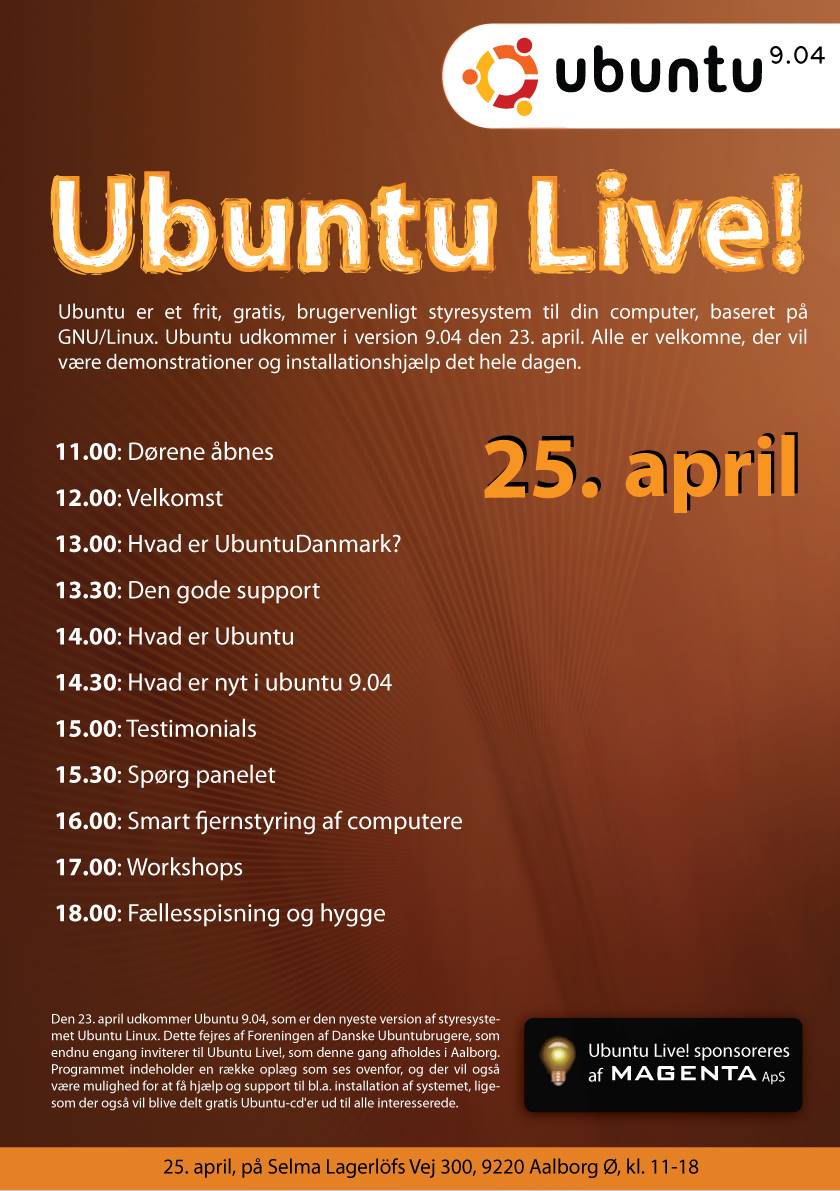
Ubuntu Live! i Aalborg

Så er vi snart klar til at fejre udgivelsen af Ubuntu 9.04. Det er efterhånden blevet en tradition at brugere, aktive og nysgerrige mødes et sted i Danmark hvert halve år, efter en ny Ubuntu udgivelse.

Denne gang afholdes Ubuntu Live! i Aalborg og der er lige blevet lagt sidste hånd på programmet.
Der er både mulighed for at komme og få hjælp til installation, høre nogle af de mange oplæg eller bare hyggesnakke med andre brugere og entusiaster.

Mads har (endnu engang) lavet en lækker plakat:
jaunty-release-poster_small

Du kan melde din ankomst til Ubuntu Live! på Facebook. Der er også en tråd på vores forum og endelig findes den altid informative wiki-side.

Ubuntu 9.04 beta

Advarsel: Ubuntu 9.04 er ikke blevet endeligt udgivet endnu, og bør ikke installeres på produktions systemer. Husk altid at tage backup af vigtige data før du leger med programmer der ikke er blevet endeligt udgivet – det kan gå galt!

Så fik jeg også overgivet mig i dag og opgraderede til beta udgaven af Ubuntu 9.04. Det gik yderst smertefrit. Selvfølgelig tog det sin tid at hente de næsten 1.5 GB som alle program opdateringerne fyldte for mig, og selve installationen af de nye pakker tog nok også en time eller to (jeg tog ikke rigtig tid).

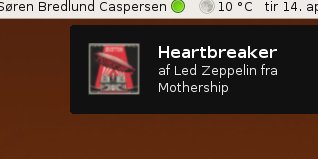
Udover den forbedrede boot tid (som jeg desværre ikke har lavet nogen benchmarks på eller på anden måde har nogen god måde at sammenligne før og efter) er den største ændring for mig som bruger, de nye notifications som øverst i højre hjørne informerer mig om alt, lige fra hvilket musiknummer Rhythmbox spiller til hvem af mine venner der kommer online på diverse im services.

notice

Jeg har også i et splitsekund 3-4 gange i løbet af dagen i dag undret mig over hvorfor der ikke skete noget når jeg tastede <ctrl>+<alt>+<backspace>, kun for at huske på at denne tastekombination ikke længere virker. (Der er dog et ‘workaround’ hvis man ikke kan leve uden denne mulighed for at dræbe xserveren).

Alt i alt ser Ubuntu 9.04, med kælenavnet Jaunty Jackalope, ud til at blive endnu en god og stabil udgivelse… og der er kun 9 dage til den bliver endeligt udgivet. I morgen er der 8 og torsdag er der… you get the point!

MOTD with commercial links?

I know Planet Ubuntu might not be the best place to bring this up, but I feel that the bug report for bug number 268447 is not the right place for the more abstract discussion that seems to be needed. If there is already a discussion on a mail list somewhere that I have missed, please point me in the right direction.

The bug report in short points out that a link to the commercial service Landscape is added to the Message Of The Day by the landscape client. However, Landscape is not a free service.

There seems to be (at least) two sides to this bug. The first is who gets to modify the MOTD? As a client user logging in to a server, information about Landscape is completely irrelevant to me. Information about Landscape might be relevant to the server administrator, but not to every user of the system. So maybe the link should not go there? Imagine what would happen if every program go to modify the MOTD. The size of the MOTD could easily balloon to a point where the MOTD becomes useless.

The other issue is what kind of commercial services can be advertised in general.

How long until we see adds about new Firefox plugins or Crelm Toothpaste in the MOTD or somewhere else?

Ubuntu 9.04 nedtælling

Nu er der snart ikke længe til Ubuntu 9.04 bliver udgivet. Hvis man har lyst til at hjælpe med at skabe lidt opmærksomhed om udgivelsen så er der nu mulighed for (ligesom ved de sidste udgivelser) at få en countdown banner på sin hjemmeside. Der er følgende fire valgmuligheder:

Ubuntu: For Desktops, Servers, Netbooks and in the cloud

Det kan nævnes at danske Mads Rosendahl står bag kalender banneret.

Hvis du vil have en (eller flere) af ovenstående bannere på din hjemmeside skal du bare indsætte et stykke kode, som du kan finde her: http://www.ubuntu.com/getubuntu/countdown.